Make an exploded view from a STEP file
Drop a STEP assembly and slide it apart in your browser. Choose the direction and the order, then send it as a link that anyone can open and explode for themselves. No CAD software and no animation work.
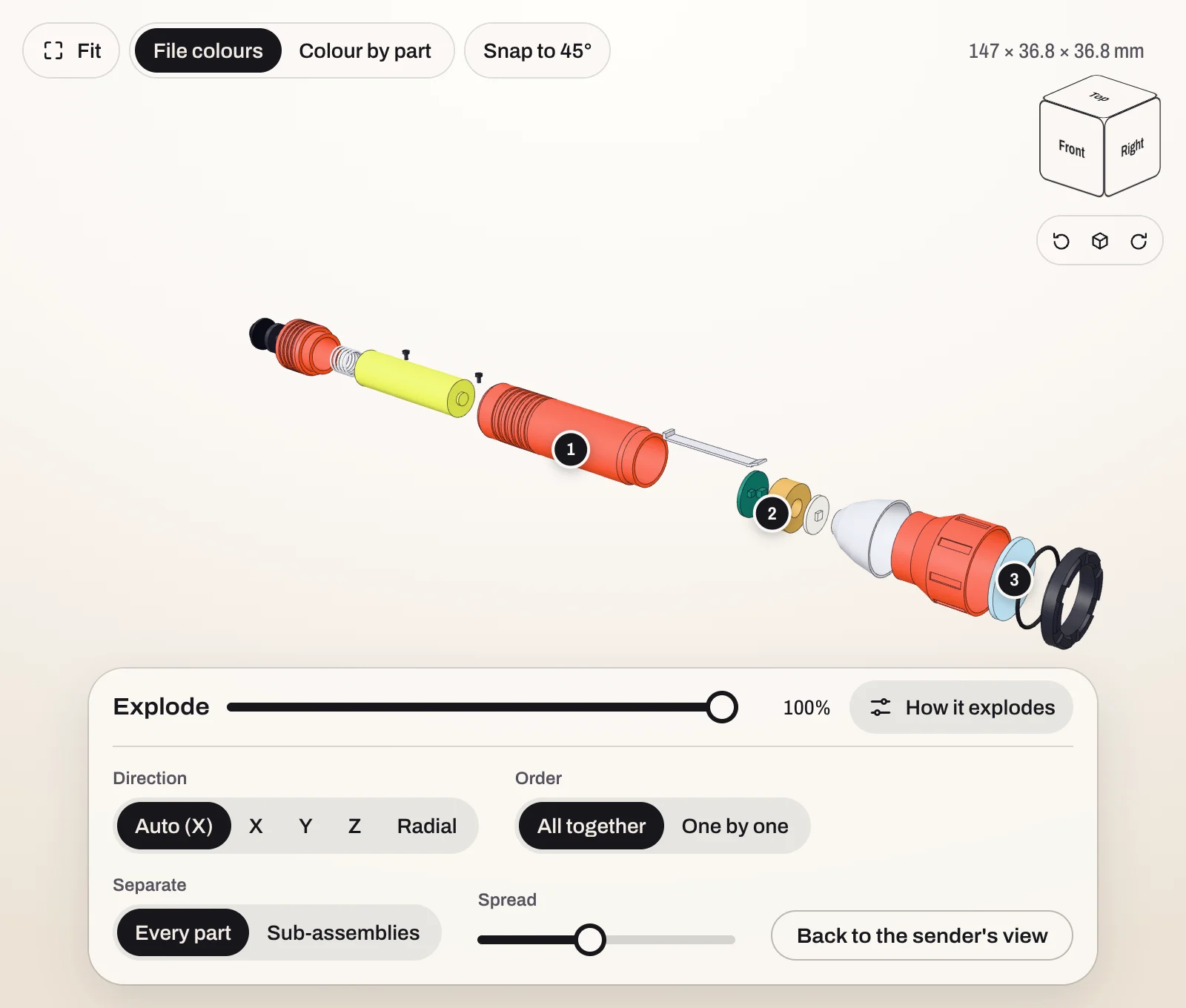
How it works
- Drop the STEP file at stepto.link/new. It converts in your browser.
- Move the explode slider. The parts are laid end to end along one axis, in the order they sit, the way an exploded drawing is laid out. Parts that sit side by side, such as four screws in a lid, move together.
- Open the settings beside the slider to change the direction, the order and the distance.
- Create a link if you want to send it. The link opens with the exploded view you set.
There are no steps to set by hand and no keyframes. The view comes from where the parts already are.
What you can set
- Direction. Along X, Y or Z, or radial, which moves parts outward from the centre. Auto picks the longest axis of the assembly.
- Order. All together, or one by one.
- What separates. Every part, or sub-assemblies kept whole, if the file has sub-assemblies.
- Spread. How far apart the parts end up.
- Amount. The slider, from assembled to fully apart.
Share the exploded view
A link carries the view with it. The person who opens it sees your exploded view first, then can slide it together, change the direction and go back to yours. You can pin notes to parts, so “this seal” points at the seal. See how to share a STEP file.
What it is not
- It is not a rendered image or a video. It is a live 3D view in a browser.
- Parts move along one direction, or outward. You cannot place each part by hand.
- It needs an assembly. A STEP file with a single part has nothing to take apart.
Try it on a sample
- Pocket torch, 17 parts: one long stack, from the tail cap to the bezel ring.
- Desk speaker, 18 parts: it comes apart upward, and the four base screws move together.
- Planetary gearbox, 26 parts: three planet gears side by side. It is the one to try “Radial” on.
Or scroll the home page, where the torch comes apart as you go.
Got an assembly?
Free to send. Your client needs no CAD software and no account.
Explode a STEP fileUpdated 6 October 2026