Open a STEP file online
Drop a .step or .stp file and it opens in your browser. No CAD software, no install and no account. The file is read on your own computer and is not uploaded.
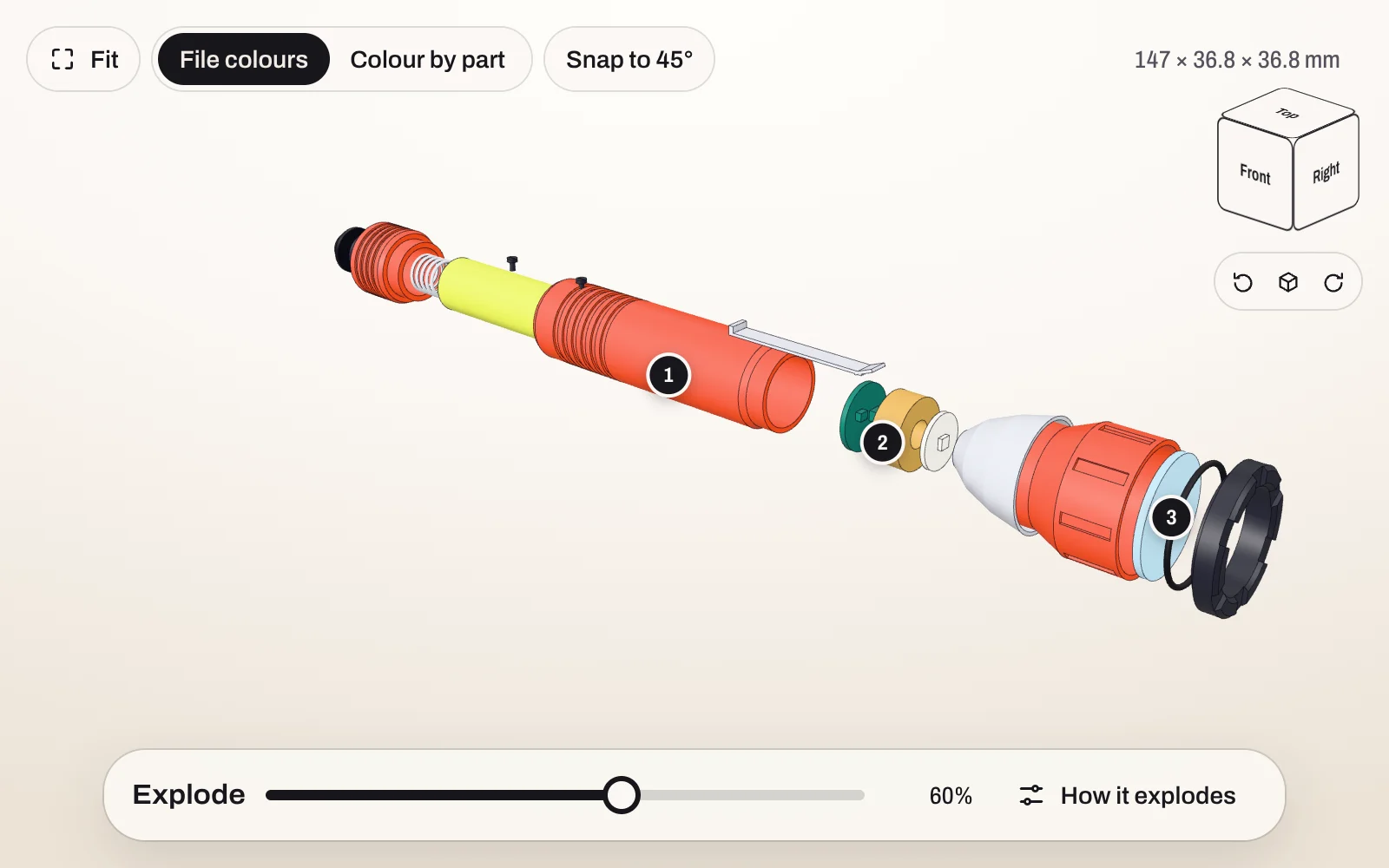
How to open a STEP file without CAD software
- Go to stepto.link/new.
- Drop the file on the page, or choose it.
- Wait while it converts. A small part takes a few seconds. A large assembly can take a minute.
- Turn the model, zoom in and take it apart.
It runs in any current browser, with nothing to install. No file to try it with? Open the sample torch.
What you can do with the model
- Turn, zoom and pan. Click a face of the view cube for a flat front, side or top view.
- Explode the assembly along X, Y or Z, or outward from the centre, all at once or one part at a time. See exploded views from a STEP file.
- Read the part list, with the names from the CAD file, and hide or show any part.
- Switch between the colours in the file and one colour per part.
- See the overall size in millimetres, on a computer screen.
What it reads
STEP files ending in .step, .stp or .p21, up to 50 MB on the free plan and 100 MB on Pro. The reader is OpenCascade, the open-source CAD kernel, running in your browser. OpenCascade reads the AP203, AP214 and AP242 kinds of STEP file, which covers what CAD systems export.
The preview keeps the assembly structure, the part names and the colours.
What it does not do
- It does not measure. The preview is for looking at: there are no dimensions and no section cuts.
- Transparency in the file is not shown.
- It reads STEP only, not IGES, STL or native CAD files.
- A very large assembly can run out of browser memory before it finishes converting.
Is the file uploaded?
No. Opening a file happens in your browser, and the file stays on your computer. It is uploaded only if you choose to create a link to send it to someone. The privacy page says what is stored then.
Send what you see
Once the model is open you can pin notes to parts and create a link. Whoever opens the link sees the same model in their browser and can download the STEP file, unless you make the link view-only. See how to share a STEP file.
Got a STEP file?
Free to send. Your client needs no CAD software and no account.
Open a STEP fileUpdated 6 October 2026